





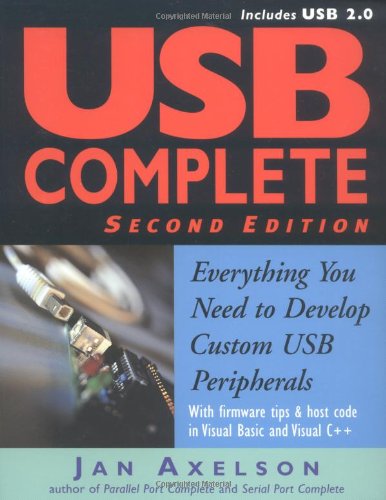
USB Complete: Everything You Need to Develop Custom USB Peripherals
Who should read this book?
This book is for you if you want to know how to design and program a peripheral with a Universal Serial Bus (USB) interface, or if you want to know how to communicate with USB peripherals from the applications you write. These are some of questions the book answers:
What is USB and how do peripherals use it to communicate with PCs? There’s a lot to the USB interface, and understanding how USB works is essential in creating hardware and program code that works efficiently and reliably. This book’s focus is on the practical knowledge you’ll need in selecting components and writing device firmware to communicate over the bus.
How can I decide if my project should use a USB interface? Maybe your design isn’t suited for USB. I’ll show you how to decide whether it is. If the answer is yes, I’ll help you decide which of USB’s three speeds and four transfer types to use.
How do I choose a USB controller chip for my peripheral design? Every USB peripheral must contain an intelligent controller. There are dozens of controller chips designed for use in USB peripherals. In this book, I compare popular chip families and offer tips on how to decide, based on both your project’s needs and your own background and preferences. As with any embedded-system project, developing a USB device also requires a development system for loading and debugging code, and I cover the options here as well.
How do applications communicate with USB peripherals? To communicate with a USB peripheral, a PC needs two things: a device driver that knows how to communicate with the PC’s USB drivers and an application that knows how to talk to the device driver. Some peripherals can use drivers included with Windows. Others may require a custom driver. This book will show you when you can use Windows’ built-in drivers and how to communicate with devices from Visual Basic and Visual C++ applications. You’ll also find out what’s involved in writing a device driver and what tools can help to speed up the process.
How do USB peripherals communicate? USB peripherals typically use a combination of hardware and embedded code to communicate with PCs. In this book, I show how to write the device firmware that enables Windows to identify a device and load the appropriate device driver. I also include example firmware for exchanging data with a PC.
How do I decide whether my peripheral can use bus power, or whether it needs its own supply? A big advantage to USB is that many peripherals can be powered entirely from the bus. Find out whether your device can use this capability and how to manage power use, especially for devices that use battery power.
How can I be sure that my device will operate as smoothly as possible for its end users? On the peripheral side, smooth operation requires understanding the specification’s requirements and how the device can meet them. In the PC, proper operation requires a correctly structured information (INF) file that enables Windows to identify the device and software that knows how to communicate with the device as efficiently as possible. This book has information and examples to help with each of these.
What’s new in the Second Edition?
In the months after the publication of the first edition of USB Complete, much happened in the world of USB, including the release of version 2.0 of the USB specification. USB 2.0 supports a bus rate of 480 Megabits per second, forty times faster than USB 1.1. This and other developments in hardware and software prompted this second edition of the book.
Rather than just tacking on a chapter about USB 2.0, I’ve revised the book from start to finish to reflect the changes in 2.0. By popular request, another addition is Visual C++ code to accompany the Visual Basic examples for application communications with USB devices. I’ve also expanded the material about Windows drivers and applications to include Windows 2000, and have added information on new controller chips and development tools. Other additions and updates are sprinkled throughout, many prompted by reader suggestions.
Jan Axelson
Why Read This Book
You will learn the practical, low-level skills needed to design and program USB peripherals that actually work in the real world — from choosing interface chips to writing device firmware and talking to host applications. The book emphasizes hands-on details (descriptors, endpoints, transfers, hardware interfacing, and debugging) that engineers need to get a USB product from prototype to working device.
Who Will Benefit
Embedded engineers and firmware developers with some microcontroller and C experience who need to add a USB interface to a custom peripheral or build reliable host–device communication for PC applications.
Level: Intermediate — Prerequisites: Familiarity with C programming, basic digital electronics, and microcontroller development (GPIO, interrupts, serial communications).
Key Takeaways
- Describe the USB architecture and transfer types (control, bulk, interrupt, isochronous) and when to use each
- Create correct USB descriptors and configurations so hosts enumerate your device reliably
- Implement device-side firmware to handle control requests, endpoints, and state transitions
- Select suitable USB interface chips, transceivers, and microcontroller families for peripheral designs
- Debug and test USB hardware and firmware using protocol analyzers, logic analyzers, and host tools
- Write host-side code and use OS APIs to communicate with custom USB devices
Topics Covered
- Introduction to USB and deciding if USB is right for your project
- USB system architecture: hosts, devices, hubs, and topologies
- USB signaling, speeds (low/full), and electrical/hardware considerations
- Endpoints, pipes, transfer types, and packet formats
- Device descriptors, configurations, interfaces, and string descriptors
- Control transfers and standard device requests
- Bulk, interrupt, and isochronous transfers: behavior and use cases
- Hubs, power management, and topology issues
- Host controllers and driver basics (enumeration and OS interaction)
- Selecting USB interface chips and designing the hardware interface
- Device firmware patterns, state machines, and example implementations
- Host-side programming and application-level communication
- Testing, debugging, and certification (tools and practical tips)
- Design examples, troubleshooting checklist, and appendices (specs, references)
Languages, Platforms & Tools
How It Compares
More hands-on and firmware-focused than academic titles like USB System Architecture; comparable in practical intent to John Hyde's USB Design by Example but with Jan Axelson's broader hardware-component and troubleshooting emphasis.