





Graphics, Touch, Sound and USB, User Interface Design for Embedded Applications
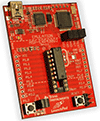
Learn how to interface to color graphics displays (Tft) with touch screen inputs to design compelling graphical user interfaces for your embedded control applications. Use sound to provide quality audible feedback. Store and retrieve data (fonts, audio, images. . .) from serial Flash devices and microSd cards. Expand your connectivity options to include full speed Usb to communicate with personal computers and other devices. This is a hands on learning experience. Through eight chapters of gradually increasing complexity you will develop a number of projects to explore the multimedia capabilities of the Mikromedia board, using 16 and 32-bit microcontrollers and learn how to get the most out of the Microchip Libraries of Applications (Mla).
Why Read This Book
You will get a step-by-step, project-driven path to add color displays, touch input, sound and USB connectivity to MCU-based products using real evaluation boards and Microchip libraries. The book shows practical techniques for storing and rendering fonts/images, handling touch controllers, producing audio feedback, and integrating serial flash/microSD and USB — all with working code examples.
Who Will Benefit
Embedded firmware engineers and hobbyists who work with Microchip PIC24/PIC32-class microcontrollers and want to add multimedia user interfaces and peripheral storage/USB to their designs.
Level: Intermediate — Prerequisites: Familiarity with C programming for microcontrollers, basic MCU peripherals (SPI/I2C/USART), and experience with Microchip toolchains (MPLAB/XC) or similar development environments.
Key Takeaways
- Interface and drive color TFT displays efficiently on 16/32-bit MCUs.
- Implement and calibrate resistive/capacitive touchscreen input and integrate touch events into GUIs.
- Store and retrieve fonts, images, and audio from SPI flash and microSD media.
- Add simple audio output for feedback using MCU peripherals and sample playback techniques.
- Implement USB Full-Speed device communication with a host using Microchip libraries.
- Integrate all multimedia components into cohesive example projects using the Microchip Libraries of Applications (MLA).
Topics Covered
- Introduction and Mikromedia board overview
- Graphics fundamentals and TFT interfacing
- Drawing primitives, images and font rendering
- Touchscreen hardware, drivers and calibration
- Managing assets: serial SPI Flash and microSD storage
- Sound and audio playback on microcontrollers
- USB Full-Speed: device-side communication (examples)
- Using the Microchip Libraries of Applications (MLA)
- Project walkthroughs: building complete GUIs
- Performance tips, memory considerations and troubleshooting
- Appendices: wiring, parts, and source code notes
Languages, Platforms & Tools
How It Compares
Like other practical MCU GUI resources, this book is hands-on and example-driven, but it is more narrowly focused on Microchip/Mikromedia hardware and the MLA stack — unlike Qt or embedded‑Linux GUI books, it targets bare‑metal/MCU implementations.