Hi Forum,
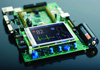
I am using CrossWorks, LPC2888 and Nohau LPC2800 board
with SSD1338 LCD
(128x128). I tried to setup the clock for the LCD and
then send the
LCD-specific commands to initialize it, and then fill
it with red, but the
LCD remains black, or not turned on.
After the lcd_init() I write red color using the
data_out() in a cycle
(128x128times). This cycle finishes, so the LCD is
somehow processing the
data, because otherwise the LCD FIFO (which I test
using this LCDSTAT) would
be full and the data_out() would never return.
Regarding the LCD specific commands - I took them from
Application Note to
that specific SSD1228, so I thought it should be OK.
Anybody has an idea what am I missing here? Or anybody
has sample LCD
initialization code for LPC288x, for whatever type of
LCD?
Thanks and regards,
Jan Vanek
#define LCD_MSUB 0x10
#define LCD_MADD 0x70
void lcd_init()
{
SYSFDCR1 &= ~SYSFDCR1_FDRUN;
SYSFDCR1 = (LCD_MSUB << SYSFDCR1_MSUB_BIT) |
(LCD_MADD <<
SYSFDCR1_MADD_BIT) | SYSFDCR0_FDSTRCH |
SYSFDCR0_FDRES;
SYSFDCR1 &= ~SYSFDCR0_FDRES;
SYSFDCR1 |= SYSFDCR1_FDRUN;
LCDESR1 = LCDESR1_ESR_EN | (1 <<
LCDESR1_ESR_SEL_BIT);
LCDESR0 = 0;
comm_out(0xAE); // Display off
// more LCD commands
comm_out(0xAF); // Display on
}
void comm_out(unsigned char data)
{
unsigned int status = (LCDSTAT >> 5) & 0x1F;
while (status >= 0x0E)
status = (LCDSTAT >> 5) & 0x1F;
LCDIBYTE = data;
}
void data_out(unsigned char data)
{
unsigned int status = (LCDSTAT >> 5) & 0x1F;
while (status >= 0x0E)
status = (LCDSTAT >> 5) & 0x1F;
LCDDBYTE = data;
}
____________________________________________________________________________________
Be a better friend, newshound, and
know-it-all with Yahoo! Mobile. Try it now.
http://mobile.yahoo.com/;_ylt=Ahu06i62sR8HDtDypao8Wcj9tAcJ
(You need to be a member of lpc2000 -- send a blank email to lpc2000-subscribe@yahoogroups.com )Hello Group following on from Jan
Driving ssd1338 via an 8 bit enabled-bus
Nothing I do brings it to life :-)
( I have a bin file without the source, that validates the screen
hardware actually runs...and it does )
I'm stumped
Does anyone have a driver for LCD ssd1338, or even a hint at what I
am doing wrong ?
Please :-)
---------------------------------
Driver posted below which might be of 'some' use to anyone fighting
the same problems with ssd1338 LCD
---------------------------------
void comm_out(unsigned char data)
{
unsigned int status = (LCDSTAT >> 5) & 0x1F;
while (status >= 0x0E)
status = (LCDSTAT >> 5) & 0x1F;
LCDIBYTE = data;
}
void data_out(unsigned char data)
{
unsigned int status = (LCDSTAT >> 5) & 0x1F;
while (status >= 0x0E)
status = (LCDSTAT >> 5) & 0x1F;
LCDDBYTE = data;
}
void data_out16( unsigned short data )
{
data_out( data & 0xFF );
data_out( data >> 8 );
}
/* Rowley init( ... ) example */
///#define LCD_MSUB 0x10
///#define LCD_MADD 0x70
// to achive clock = base * n / m, take MSUB = -n (two's complement)
and MADD = m - n
// so to have 6Mhz, we need n = 0x10 and m = 0xA0
#define LCD_MSUB 0xF0 // -n
#define LCD_MADD 0x90 // m - n
void lcdInit( void )
{
unsigned int s0 = LCDPSR0;
unsigned int s1 = LCDPSR1;
/* Setting clock to 6Mh via franctional divider ( SYSFDCR1 ) */
SYSFDCR1 &= ~SYSFDCR1_FDRUN;
SYSFDCR1 = (LCD_MSUB << SYSFDCR1_MSUB_BIT)
| (LCD_MADD << SYSFDCR1_MADD_BIT)
| SYSFDCR0_FDSTRCH
| SYSFDCR0_FDRES;
SYSFDCR1 &= ~SYSFDCR0_FDRES;
SYSFDCR1 |= SYSFDCR1_FDRUN;
LCDESR1 = LCDESR1_ESR_EN | (1 << LCDESR1_ESR_SEL_BIT);
LCDESR0 = 0;
///LCDCTRL = LCDCTRL_CSPOLAR;
delay( 150 );
lcdPower( 1 ); /* Power on */
lcdReset( ); /* Force gpio hi, then lo ( active ) */
comm_out(0x00AE); // Display off
comm_out(0x00CA); // Set MUX ratio
data_out(0x007F); // 1/128 duty
comm_out(0x00A0); // Set Re-Map
data_out(0x0074); // 65K color & 16 bit
comm_out(0x00A1); // Display start line
data_out(0x0000); //
comm_out(0x00A2); // Display offset
data_out(0x0080); //
comm_out( 0x00C7 ); // Master current control
data_out( 0x0007 ); // 0x05 for Low brightness
// 0x07 for Normal brightness
// 0x0A for high brightness
// 0x01 for standby
comm_out(0x00C1); // Set contrast level for R , G ,B
data_out(0x0068); // Red contrast set
data_out(0x0058); // Green contrast set
data_out(0x009F); // Blue contrast set
comm_out(0x00B1); // Phase adjust
data_out(0x0022); //
comm_out(0x00B3); // Set frame rate
data_out(0x0010); // 0x10H for 85Hz
comm_out(0x00BB); // Set Pre-charge level for R , G , B
data_out(0x0000); // Red
data_out(0x0000); // Green
data_out(0x0000); // Blue
comm_out(0x00AD); // Master configuration
data_out(0x008E); //
comm_out(0x00B0); // Current saving
data_out(0x0000); //
comm_out(0x00BE); // VCOMH setting
data_out(0x001D); //
comm_out(0x00A6); // Inverse display mode off
comm_out(0x00D1); // Normal display
data_out(0x0002); //
comm_out(0x00AF); // Display on
}
(You need to be a member of lpc2000 -- send a blank email to lpc2000-subscribe@yahoogroups.com )