Embedded Touchscreen Handbook
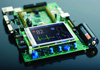
I want to add a touchscreen to my embedded product. Where do I start? That question is common nowadays. Most manufacturing companies are seeing the value – maybe the necessity – of touch screen technology. Many of them don’t have a long-term or close association with the technology, yet they expect their embedded engineers to handle the project successfully and on a tight schedule. These engineers often have questions... - How much am I going to have to learn to get the job done? - I’ve heard that LCD suppliers were not like other suppliers. But, how so? - What don’t I know that could shift the project from “exciting” to “doomed.” You have choices: Probably the three major questions that crop up when you need to add an LCD touch screen to your product are these: - Should I use a full-blown, embedded operating system, like Windows CE, CE Linux or QNX? - How much work does it take to develop an in-house LCD system from scratch? - Do I have other options? The answer to the first two questions is a resounding “maybe,” (depending on what you need to accomplish). The answer to the third question is, probably “yes.” In most cases, there is another option. Who should read this? If you are an embedded engineer who is thinking of adding a touch screen to your product, and if: - You need to know what is involved in adding color touch controls to your product. -You need to understand the risks (both known and hidden) involved in LCD technology. - Your main area of expertise is not LCD technology. - You don’t want to re-focus your time to acquire color LCD technology expertise. If you find that any of the statements above voice your concerns, you may find this paper worth reading.